How to Use an SMM Panel For The First Time?
Have you ever come across the term SMM Panel and wondered what it is and how people use it to increase their Followers & Likes? In this blog, we will provide you with a step-by-step guide to using Social Media Marketing Panels.
We will answer everything from choosing a trusted platform to selecting the right services and developing the correct growth strategy. We will explain from scratch and take things to an advanced level. So whether you are a beginner or an experienced user, this blog is going to help you make the most of these SMM tools.
Introduction to SMM Panels
What is an SMM Panel?
An SMM Panel is a marketplace where you can purchase services across various social media platforms. This includes buying followers, likes, and views on platforms such as Instagram, TikTok, Telegram, YouTube, and Facebook. These Panels are mostly available as websites or apps, where you can create an account and place orders for the services you need. The best thing about this is that the services are cheap, time-efficient, and can quickly boost your social media presence.
Why People Use SMM Panels in 2026?
Growing on social media is very competitive nowadays. Even after investing a lot of time and effort, growth is not guaranteed. SMM Panels help achieve the right metrics that boost the profile and build trust. It saves a lot of time, and several creators, influencers, businesses, digital marketing agencies, and social media service resellers use it every day. The goals can be different. An influencer can use it to improve engagement rates, while a brand can purchase followers from these panels to make its account look more credible. Agency owners handle different profiles from a centralized dashboard provided by these panels. When used correctly, these tools help maintain consistent engagement and support broader marketing strategies.
Know This Before Making Your First SMM Order
Public Profile or Post URL (No Password Needed)
To use SMM Services, your profile should be public, and you will only need post/profile links to place the order. Never share your password or any other sensitive information if ever asked by any platform. A legit panel will never ask you this.
Setting a Small Test Budget
If you are using the panel for the first time, add a small amount, familiarize yourself with the features, and try a few services. You should only place large orders once you are assured of the quality, service speed, and other terms. This also helps compare different services before choosing the right one and avoiding unnecessary risks.
Payment Methods Available
All Top SMM Panels offer a range of payment methods, including UPI/CARDS/CRYPTO to different wallets and other payment systems. Once you add the fund, it appears in your wallet on the website, and you can use it across different orders. You don't need to add funds every time you make a new order.
Setting Realistic Expectations
SMM platforms help achieve instant growth in numbers, but they are not sufficient on their own to bring success. You have to be consistent with your efforts. These tools just help you push your content and reach a wider audience, but long-term growth can only be achieved through a well-planned growth plan.
Step-by-Step: How to Use an SMM Panel
Step 1 – Create an Account and Secure It
Sign Up and Email Verification
You can create your account with your email address. A verification code is sent, and after email verification, your account is created. Direct login via email is also available on advanced panels like Affordable SMM.
Enable Basic Security (2FA)
You should enable 2 Factor Authentication to avoid any unauthorized access to your account.
Step 2 – Add Funds to Your Account
Choose Payment Method
Depending on the payment options available to you, you can choose the method and follow the instructions to add the funds. If you need more help with this step, see this guide to adding funds for a detailed explanation of the process.
Confirm Wallet Balance
After the fund gets added, check your wallet balance. It should reflect there as well.
Step 3 – Choose the Right Service
Choosing the correct services is the most important step. Read the details below carefully to make the right choice.
Understanding Service Categories
There are different categories for different services and different platforms. For example, Instagram Followers & Facebook Followers are two different categories, and even Instagram Likes & Instagram Indian Likes are two different categories.
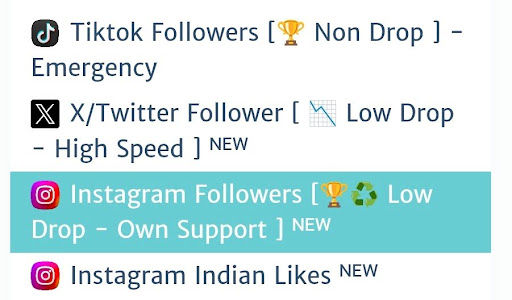
Later, each category has multiple services. For example, the Instagram Followers category can include 10 different follower services. Each service has a different price and set of specifications.
Reading Service Descriptions Properly
Each service has a description that contains all the information about it. It includes speed, quality, refill details, drop rate, and other important information. Never ignore description.
Key Parameters (Min, Max, Average Time)
“Min” and “Max” define the minimum and the maximum quantity limit for a single order. You will also find Average Time on the premium platforms, which estimates how long the service takes to complete an order based on the last 10-100 orders.
Refill Overview
If you purchase a service and experience any drops, the refill feature ensures you are compensated for them. The dropped quantity will be returned free of charge. You should always choose a service with a refill guarantee.
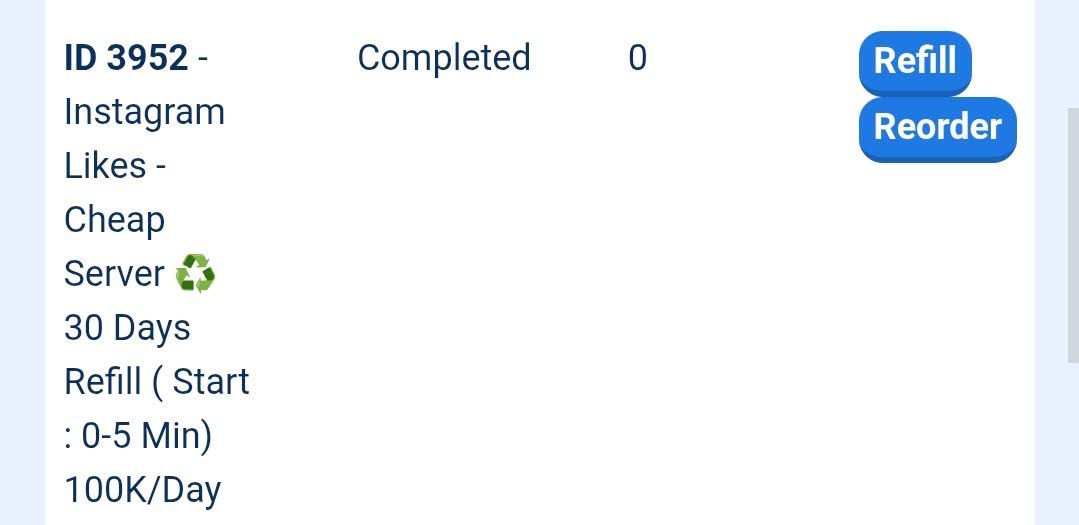
Refill can be through a button or manually. There are also auto-refill options for some services. If you can afford it, purchase a service with auto-refill, where the system will check and refill orders every 24 hours. Affordable SMM offers auto-refill options for multiple services.
Step 4 – Different Order Methods
What is Simple Order (Instant Delivery)
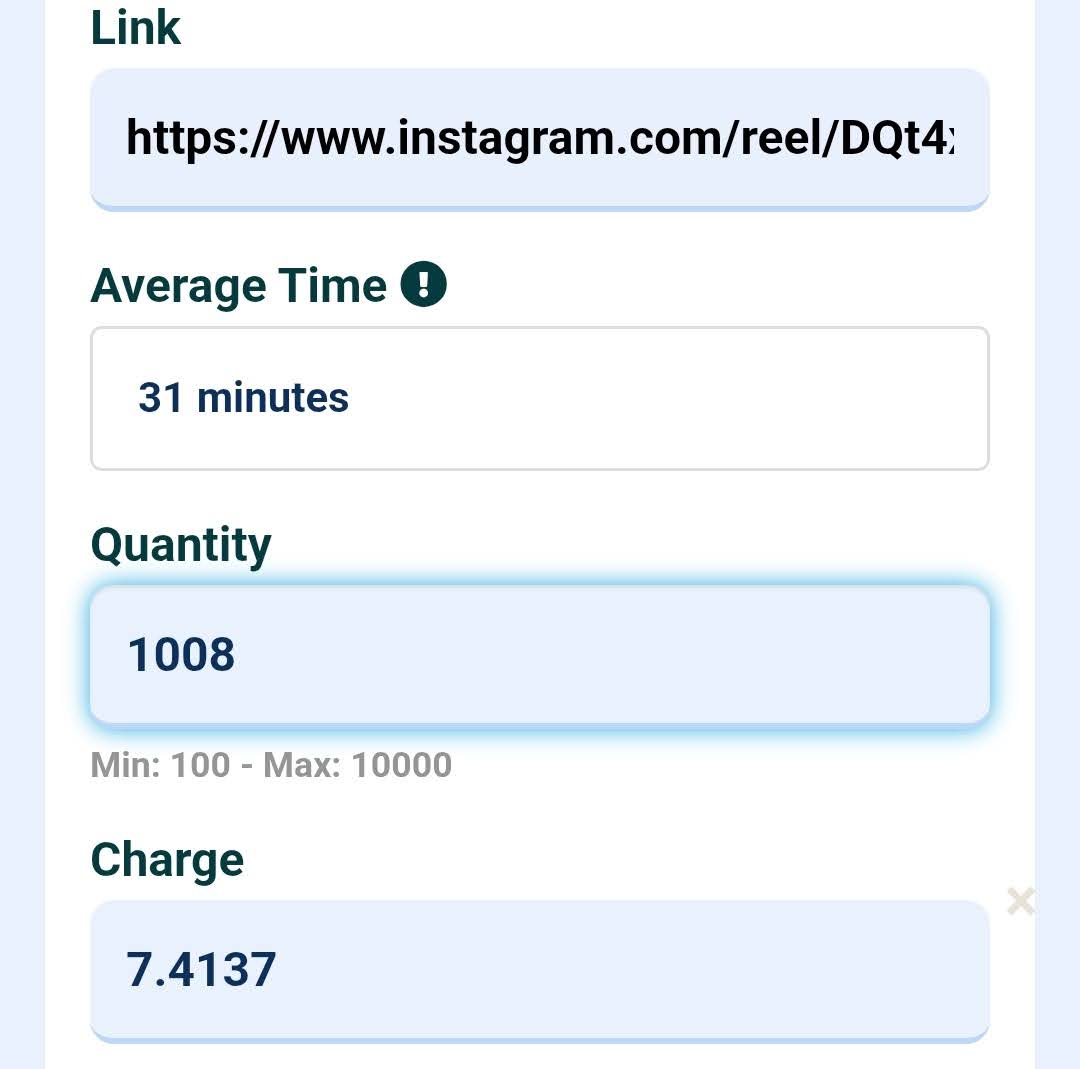
It is the simplest form: you enter your link, specify the quantity you need, and submit the order. The quantity is delivered in one go at the service speed.
What is Drip-Feed Order?
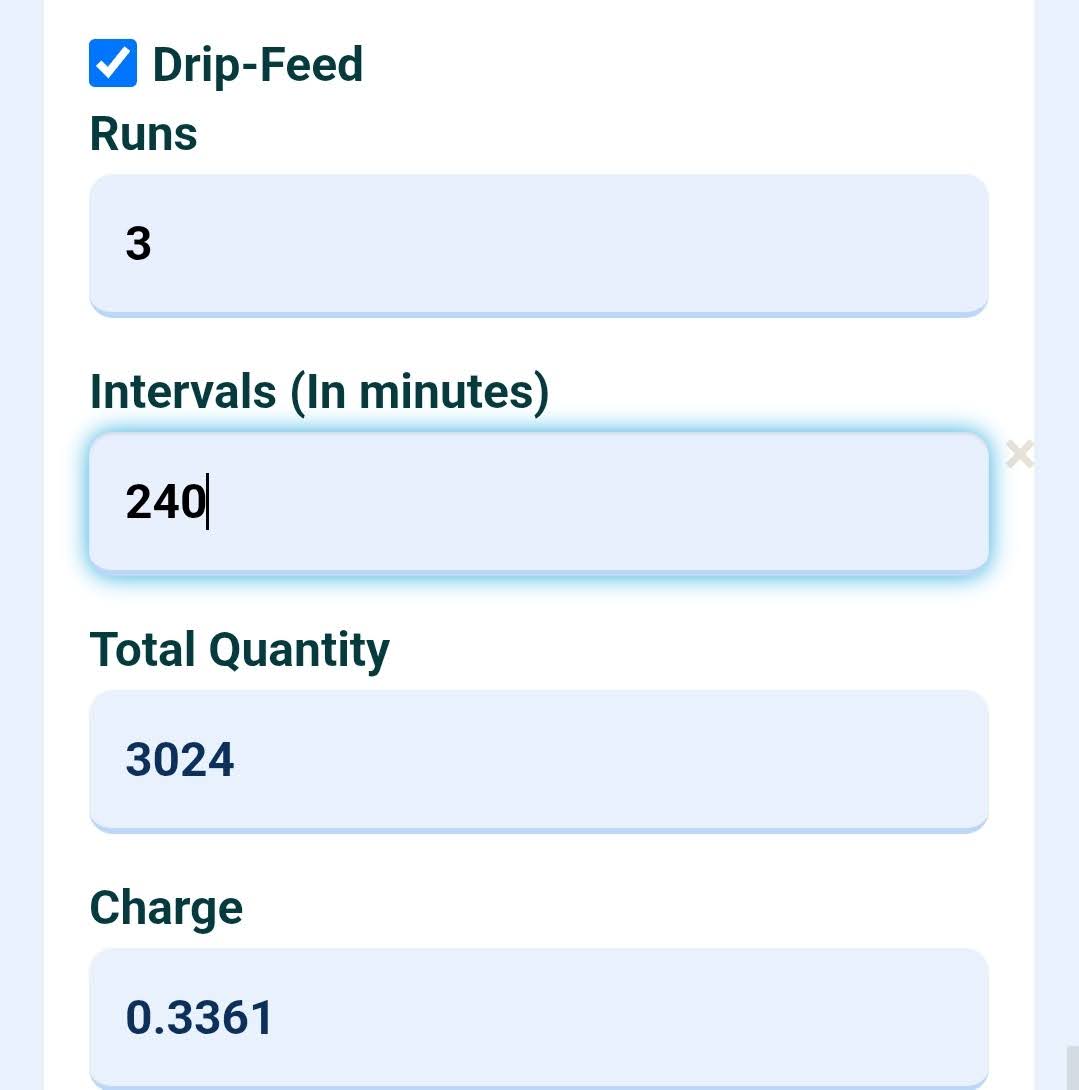
In this drip feed delivery method, the total quantity is delivered in small intervals (which you set). For example, if you need a total of 10K Followers, you can get 2,000 Followers every 2 hours. This gives a natural growth look.
What is Mass Order?
Mass Order (or Bulk Order) feature lets you place multiple orders at once. Suppose you have 1000 links and need different numbers of Likes on each. With a single click, you can place all orders. You don't have to waste time while placing orders one by one.
When to Use Each Method
For small orders, place single orders. If you have a larger quantity, drip feed is recommended to avoid sudden spikes and safety risks. And of course, if you have to place multiple orders, mass order method is the best way.
Step 5 – Place Your Order Correctly
Entering the Correct Link
Always double-check the link that you are entering. If you need followers on an Instagram profile, enter the profile link. If you need views and likes on a post/reel, enter a post/reel link. If you put likes on profile links, then it will not work. The service description also has a sample link format. Always be careful about this, or ask the support team if you don't understand.
Choosing Quantity
Whatever quantity you need, you simply enter that. If any specific term, such as “enter in multiples of 100,” is mentioned in the service description, then follow that.
Submitting Order
Once you enter the quantity and the link, you can see the total charge for the order. Then you can click the submit button; the order is submitted, and you receive a confirmation message.
Saving Order ID
The confirmation message also contains the order ID, which can be used for future follow-ups. You can also find the order ID on the order history page.
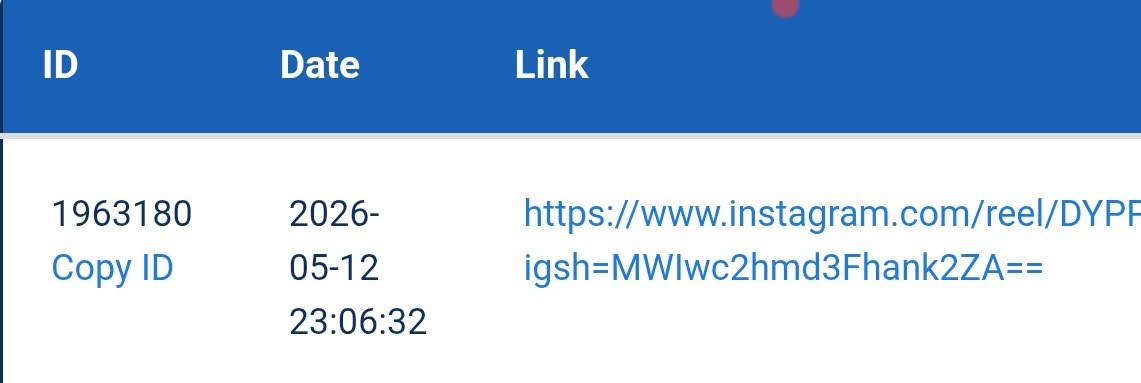
Step 6 – Track Order Status
Where to Track Orders
All the panels have a dedicated page where you can view past orders. Just open that page.
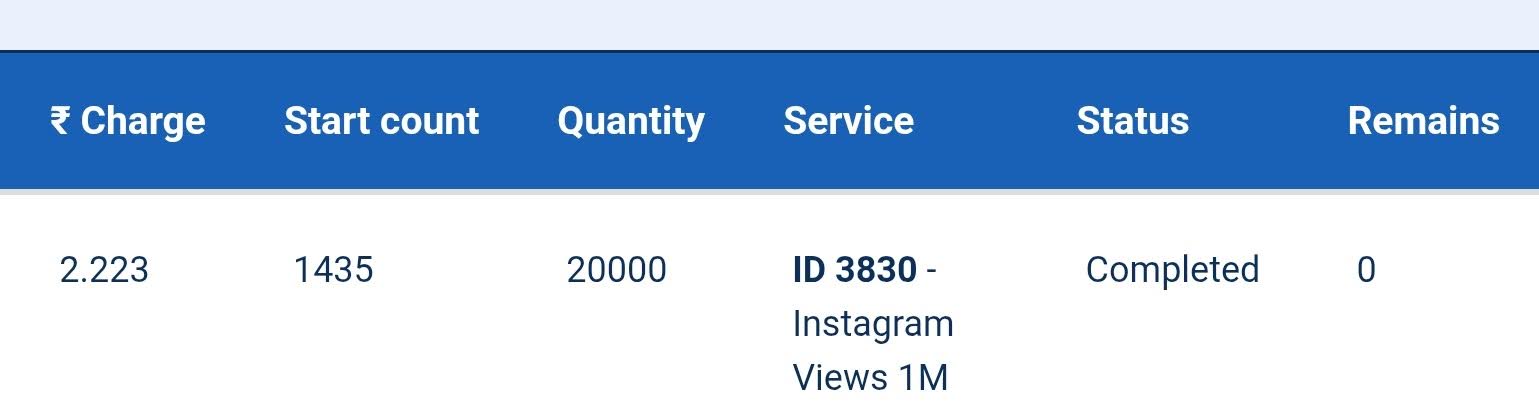
Basic Metrics (Start Count, Remains)
The start count refers to the numbers that were in place before the order started. Remains refers to the quantity that is still left to be delivered.
Order Status Overview (Quick Explanation)
Pending
Pending means the order has not started yet. You should wait 1-2 hours, and if it is still showing as pending, contact support.
In Progress
This means your order is in progress and will be completed soon.
Completed
This means the full delivery for the ordered quantity has been done.
Partial
Sometimes when an order is not fully completed, it is marked PARTIAL. Any quantity not delivered is shown under REMAINS, and the amount is also refunded accordingly.
Canceled
When the order status shows as CANCELLED, it means the order was rejected due to a technical or other issue, and the refund is processed at the same time. You don't have to ask for a refund separately. As soon as the order status is updated to cancelled, the system processes the refund and adds it back to the panel wallet. You can reorder.
How To Get Smart Growth Using a Drip-Feed System
Only a few major SMM websites offer drip-feed features on their platforms. It is an amazing feature, and many people don't know about it. When you purchase anything from the platform, and it is suddenly delivered to your account, it raises suspicion in that platform's internal algorithms. It may appear unnatural and can affect account performance. When you use drip feed, the order is delivered in small lots over time to mimic a natural pattern, helping keep your growth safe.
Common Mistakes to Avoid
Whenever you use any panel, follow these safety measures to avoid trouble, financial loss, or account risks.
Using Wrong Links
Always verify the links before submitting orders and avoid using any incorrect links. In many cases of incorrect links, the order is marked as completed, and no refund is issued.
Ordering Too Fast
You should avoid a sudden bulk increase in your profile. Always place orders gradually in smaller lots.
Ignoring Service Details
Many people do not read the service details and later complain about speed, drops, and quality. It is your responsibility to read carefully before purchasing.
Not Tracking Orders
Don't place the order and forget it. It can often get stuck or cancelled. So you should track it and check the delivery.
Troubleshooting Guide for Common Issues
Order Stuck on Pending
Often, due to server issues, some orders go to PENDING. If they remain in pending status for an extended period, contact support immediately to resolve the issue. You have to share the Order ID with the support executive, and he will check and update you.
Partial Delivery
In cases of partial delivery, you can place a new order for the remaining quantity. If a service keeps getting partialled again and again, you can try a different service. Note that whenever an order is partialled, a refund is also done. You don't have to ask for it separately.
Drops After Completion: Refill System
Often, updates from different platforms result in service drops for the services you purchased. For example, you may purchase 20K followers on Instagram, but they can fall back to 15K. In that case, if your service includes a refill warranty and the Order is still within the refill period, use the Refill Button to get the order refilled.
Always remember that the refill system works based on the start count and quantity. When you ADD your START COUNT with QUANTITY, and the number that you get is less than your current followers, then you can use the refill system to get compensated for that drop.
Wrong Order Placed
If you place the wrong order on SMM Panels, use the cancel button (if enabled) to cancel it immediately. Also, you can reach out to the support. Sometimes they can help you do it faster.
At Affordable SMM, we have implemented an auto-cancel system for incorrect links.
SMM Panel For Beginners: Best Practices
We are nearing the end of this SMM Panel tutorial, and here are a few key points to keep in mind as a beginner.
Start with Small Orders
Test out with small orders and only scale once it seems promising. Small tests help you polish your understanding and understand how the SMM panel works properly.
Use Reliable Services
You should not fall for cheap SMM services. If you use low-quality services, your account can be adversely affected. Always go for reliable services that do not get stuck or drop suddenly—prioritize quality over price.
Combine with Organic Growth
The best results can be achieved when you combine the SMM panel with your organic growth tactics. You cannot fully ignore traditional methods, where you create high-quality content and try organic methods to promote it. You can achieve sudden success with these panels, but it won't last if they're not handled properly. Use SMM platforms to achieve a high interaction rate that makes your content look valuable and signals the platform's algorithm to promote it to new audiences, triggering organic growth. When you use this hybrid system, the growth becomes long-lasting.
Frequently Asked Questions (FAQs)
Is it safe to use SMM Services for my account?
If you use a good service, it will never negatively impact your account. Take small quantities and use quality services.
How long does delivery take?
Different services have different delivery speeds; you can see this by checking the Average Time before placing your order.
Which one to choose: no refill or lifetime refill service?
Always try to use lifetime refill services, as you get a full lifetime warranty against any drops. No-refill services are cheaper, but they don't cover any drop loss.
Which is the best SMM Panel for beginners?
There are many social media marketing panels in the market. Affordable SMM is one of the best because it offers very fast support and a user-friendly dashboard that is easy for new users to understand.
Can I cancel an order?
If the service comes with a cancel button, you can cancel it. But it is always advisable to double-check the order before placing it, as it is usually very hard to cancel. One last trick I will give you: if it is very urgent to cancel, just make your account private, and then no services can be delivered. But do this only as a last option.